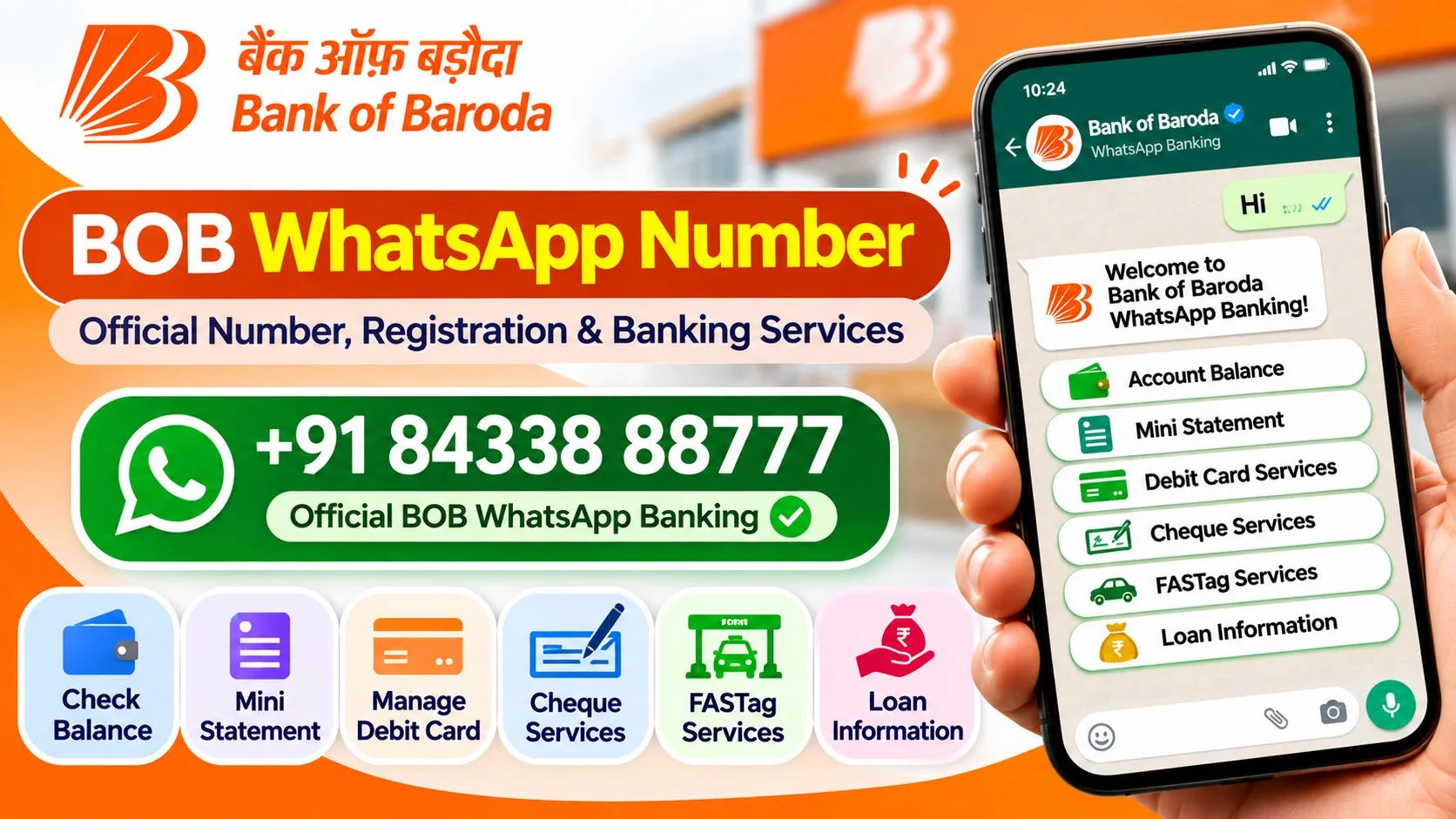
The official BOB WhatsApp Number is +91 84338 88777. Bank of Baroda customers can use this number to check their account balance, get mini statements, request account statements, manage debit cards, track cheque book requests and access other banking services. To get started, save the number in your contacts and send Hi through WhatsApp.
Bank of Baroda’s WhatsApp Banking service is available 24 hours a day, including weekends and holidays. Customers can access several banking facilities through a chatbot without downloading a separate banking application. The service also supports English, Hindi, Marathi and Gujarati.
What is the official BOB WhatsApp number?
The official Bank of Baroda WhatsApp Banking number is +91 84338 88777. Customers can save this number in their mobile contacts and start a conversation by sending Hi.
Here are the important contact details:
| Purpose | Contact details |
| BOB WhatsApp Banking Number | +91 84338 88777 |
| WhatsApp registration message | Hi |
| Service availability | 24 hours, 7 days a week |
| Supported languages | English, Hindi, Marathi and Gujarati |
| Registration charges | No current registration charges |
| Service charges | No current WhatsApp Banking service charges |
Customers should check for the blue verification badge next to the official Bank of Baroda WhatsApp Business account before sharing any account-related information.
The WhatsApp Banking number is different from the bank’s regular telephone customer care numbers. It is specifically used to access banking services through WhatsApp.
How to register for BOB WhatsApp Banking
Getting started with Bank of Baroda WhatsApp Banking is straightforward. Customers do not need to visit a branch or install another application just to start the WhatsApp conversation.
Follow these steps:
- Open WhatsApp on your mobile phone.
- Save +91 84338 88777 in your contacts.
- Find the verified Bank of Baroda WhatsApp Business account.
- Open the conversation.
- Send Hi to start chatting.
- Read the welcome message and available service options.
- Select the banking service you want to use.
- Follow the instructions provided by the chatbot.
By starting the conversation, you agree to the applicable WhatsApp Banking terms and conditions.
Important: Use your mobile number registered with Bank of Baroda when requesting account-specific information. For example, balance enquiries require a request from the registered mobile number.
What happens after starting the conversation?
Once you send Hi, the chatbot displays the available banking options. You can select a service from the menu or type the name of the service you need.
For example, you can enter requests such as:
- Account balance
- Mini statement
- Cheque book request
- FASTag balance
- Debit card information
The chatbot then guides you through the relevant steps. Some services may require additional verification before the request can be completed.
Who can use Bank of Baroda WhatsApp Banking?
Bank of Baroda WhatsApp Banking is available to existing customers and non-customers, although the services they can access are different.
Existing customers can use account-related services such as balance enquiries, statements, cheque requests and debit card management.
Non-customers can explore selected banking products, services and offers. They can also use facilities such as branch and ATM location searches.
NRI customers can also register using international mobile numbers from selected countries where the service is available.
| Customer category | Available facilities |
| Existing BOB customers | Account information and supported banking services |
| Non-customers | Product information, offers and branch or ATM locations |
| NRI customers | WhatsApp Banking from supported international countries |
Customers requesting account-specific information must follow the bank’s registered mobile number and authentication requirements.
What services are available through BOB WhatsApp Banking?
Bank of Baroda offers several services through its WhatsApp Banking platform. These cover account information, cheque requests, deposits, loans, debit cards and FASTag.
Here is a closer look at the available facilities.
Account services
Customers can access several account-related options without logging in to a separate banking application.
These include:
- Account balance enquiry.
- Mini statement.
- Account statement request.
- View registered email ID.
- Add or update email ID.
- View locker details.
- Apply for locker services.
- Sukanya Samriddhi Yojana (SSY) account information.
For customers who want to check their account activity, the mini statement and account statement options are particularly useful.
Cheque services
BOB WhatsApp Banking also provides options for managing cheque-related requests.
Customers can:
- Request a new cheque book.
- Track a cheque book request.
- Check the status of issued cheques.
- Stop a cheque.
- Submit Positive Pay confirmation.
Positive Pay is a cheque verification facility in which the customer provides details of an issued cheque so the bank can verify them before processing payment.
These options help customers manage cheque-related work through WhatsApp instead of visiting a branch for every request.
Deposit services
Customers can explore deposit-related information through the WhatsApp Banking menu.
The listed services include:
| Service | Purpose |
| Term deposit summary | View term deposit account information |
| Deposit products | Explore available deposit schemes |
| FD calculator | Estimate fixed deposit interest |
| Interest rates | Check applicable deposit interest rates |
| Service fees | Find information about banking charges |
The FD calculator is useful when customers want to estimate the interest they may earn on a fixed deposit before choosing a deposit amount and tenure.
Loan services
Bank of Baroda also provides loan-related information through WhatsApp Banking.
Available options include:
- Loan account enquiry.
- Loan mini statement.
- Loan product information.
- Digital loan services.
- Loan-related information and assistance.
Customers can use the loan account enquiry option to check relevant account details and the mini statement option to review recent loan transactions.
FASTag services
Customers using Baroda FASTag can access several related services through WhatsApp.
These include:
- FASTag balance enquiry.
- FASTag mini statement.
- Purchase of a new FASTag.
- Baroda FASTag enquiry.
The balance enquiry option helps customers check their available FASTag balance before travelling on toll roads.
The mini statement can help them review recent toll deductions and other FASTag transactions.
Debit card services
Debit card management is another useful part of Bank of Baroda WhatsApp Banking.
The official service menu lists the following options:
- View debit card information.
- Enable debit card transactions.
- Lock or unlock a debit card.
- Manage debit card transaction limits.
- Set or change debit card PIN.
- Request re-issuance of a blocked debit card.
- Apply for a new debit card.
- Disable domestic transactions.
- Disable international transactions.
- Block a lost or stolen debit card.
Customers can use these options to manage selected card settings and respond to situations such as a lost card or unwanted transaction activity.
Other banking services
Apart from account and card-related facilities, BOB WhatsApp Banking provides access to several additional services.
These include:
- Utility bill payments.
- Tax payments.
- Bank holiday calendar.
- Interest certificates.
- TDS certificates.
- Form 15G/15H submission status.
- UPI service disabling.
- Account blocking requests.
- Nominee registration.
- Beneficiary management.
- Dispute management.
- Branch and ATM locator.
- Foreign exchange information.
- Financial calculators.
- Digital loan applications.
- Travel and hotel booking options.
- Video call assistance.
The services shown in the chatbot may vary according to the selected option and the customer’s eligibility.
How to check your BOB account balance through WhatsApp
You can check your Bank of Baroda account balance through WhatsApp by using the official banking number.
Follow these steps:
- Open WhatsApp on your registered mobile number.
- Find the verified Bank of Baroda WhatsApp account.
- Send Hi to +91 84338 88777.
- Wait for the chatbot to display the available options.
- Select the account balance enquiry option.
- Follow the instructions provided by the chatbot.
- View your account balance in the WhatsApp conversation.
Important: Bank of Baroda requires customers to use their registered mobile number for account balance enquiries. If you are using a different number, the chatbot may not be able to retrieve your account information.
How to get a BOB mini statement on WhatsApp
If you want to review your recent account transactions, you can request a mini statement through WhatsApp Banking.
Here is how to do it:
- Open WhatsApp.
- Send Hi to +91 84338 88777.
- Select the account services option.
- Choose Mini Statement.
- Follow the chatbot’s instructions.
- View the recent transaction details displayed by the service.
Bank of Baroda also provides a separate account statement request facility. If you need a more detailed record of your account transactions, choose the statement request option instead of the mini statement.
How to block a BOB debit card through WhatsApp Banking
If your Bank of Baroda debit card is lost or stolen, you can use WhatsApp Banking to request card blocking.
The process is as follows:
- Open WhatsApp on your mobile phone.
- Send Hi to 84338 88777.
- Select the Block Debit Card option.
- Choose the debit card you want to block.
- Review your selection.
- Confirm the blocking request.
- Wait for the confirmation message.
The bank also sends an SMS to your registered mobile number after successful blocking.
If you notice an unauthorised transaction or suspect that someone has access to your card details, contact the bank immediately. Do not wait for a WhatsApp response when urgent action is required.
Is Bank of Baroda WhatsApp Banking free and safe?
Bank of Baroda currently does not charge customers for WhatsApp Banking registration or the use of its listed WhatsApp Banking services. However, standard mobile data or telecom charges may apply depending on your service provider and plan.
The bank also states that WhatsApp Banking communications are protected through end-to-end encryption.
Customers should still follow basic banking security precautions when using the service:
- Verify the number: Use only +91 84338 88777.
- Check the blue badge: Confirm that you are communicating with the verified Bank of Baroda business account.
- Protect your OTP: Never share an OTP with anyone claiming to represent the bank.
- Keep your PIN private: Do not disclose your debit card PIN or internet banking password.
- Avoid unknown links: Do not click suspicious links received through WhatsApp.
- Secure your mobile phone: Use a screen lock or biometric authentication.
- Report suspicious activity: Contact the bank immediately if you notice an unauthorised transaction.
Remember that end-to-end encryption does not protect customers from fake WhatsApp accounts, phishing attempts or someone gaining access to an unlocked phone.
What to do if BOB WhatsApp Banking is not working
Sometimes customers may experience problems while accessing WhatsApp Banking. The issue could be related to their mobile number, internet connection or registration status.
Here are some common problems and possible solutions.
| Problem | What you can do |
| WhatsApp is not responding | Check your internet connection and restart WhatsApp. |
| Account balance is not showing | Make sure you are using your registered mobile number. |
| Chatbot options are not appearing | Send Hi again and follow the displayed instructions. |
| Unable to access account services | Check whether your mobile number is linked to your BOB account. |
| Debit card request is not processing | Follow the chatbot instructions and check the confirmation message. |
| Unable to start a conversation | Verify the number and check for the blue badge. |
| International number is not working | Confirm that your country is supported for WhatsApp Banking. |
Check your registered mobile number
Account-related services require the mobile number registered with your Bank of Baroda account.
If you have recently changed your mobile number, check whether the new number has been updated in the bank’s records.
Check your WhatsApp connection
WhatsApp Banking requires an active internet connection. If messages are not being delivered or the chatbot is not responding, check your mobile data or Wi-Fi connection and try again.
Contact Bank of Baroda customer care
If the problem continues, contact the bank through its official customer support channels.
You can also visit your nearest Bank of Baroda branch for assistance with account-related issues.
Bank of Baroda WhatsApp Banking customer care numbers
The WhatsApp Banking number and regular customer care numbers serve different purposes.
WhatsApp Banking allows customers to access selected services through a chatbot. The Contact Centre provides telephone assistance for banking enquiries, complaints, card-related issues and other service requests.
Here are the customer care numbers:
| Customer category | Contact number |
| Domestic customers | 1800 5700 |
| Domestic customers | 1800 5000 |
| Domestic customers calling from abroad | +91 79 66296009 |
| NRI customers calling from overseas | +91 79 66296629 |
Customers can contact the bank for assistance with:
- Account balance and mini statement enquiries.
- Debit card and ATM-related problems.
- Lost or stolen card blocking.
- UPI and digital banking issues.
- Net banking and mobile banking support.
- Cheque book requests.
- Account statement requests.
- Banking complaints and service enquiries.
For suspected fraud or unauthorised transactions, call the bank’s customer care number or visit your branch immediately.
Using Bank of Baroda WhatsApp Banking for everyday banking
The official BOB WhatsApp Number, +91 84338 88777, allows customers to access several banking services through a familiar messaging application. From checking account balances and requesting statements to managing debit cards, tracking cheque books and checking FASTag balances, customers can handle many routine banking requirements through the chatbot.
To get started, save the official number, send Hi and follow the instructions displayed in the conversation. Use your registered mobile number for account-related requests and always verify the blue badge before interacting with the bank.
For urgent matters such as lost debit cards, suspected fraud or unauthorised transactions, contact Bank of Baroda’s customer care team directly.