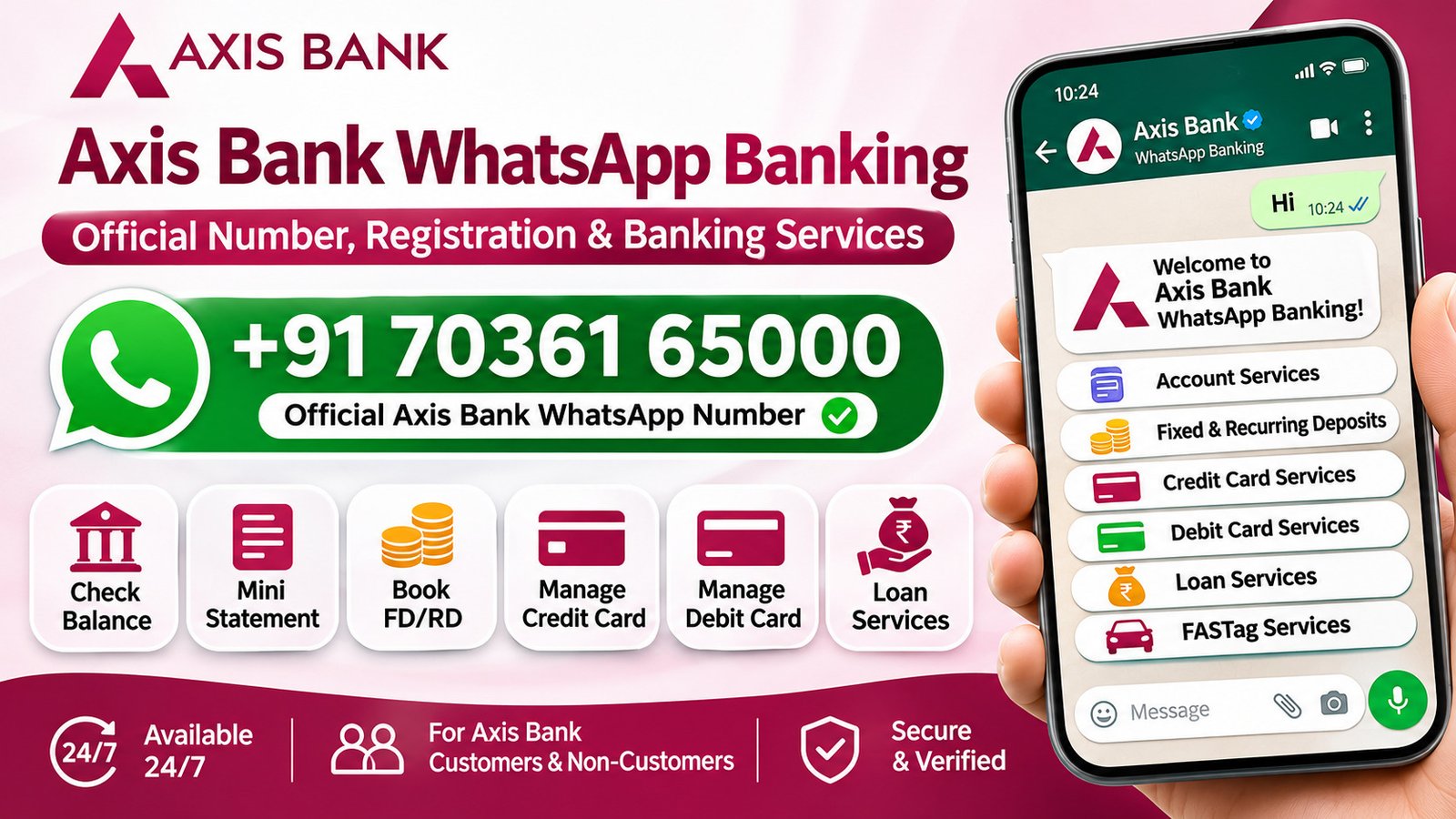
Axis Bank WhatsApp Banking allows customers to access a wide range of banking services directly through WhatsApp. From checking account balances and requesting mini statements to booking fixed deposits, managing credit cards and checking FASTag details, many everyday banking tasks can be handled through a simple chat.
The service is available 24 hours a day, including bank holidays. You do not need to visit a branch for every small enquiry or request.
If you want to use this facility, here is a detailed guide to the official Axis Bank WhatsApp number, registration process, available services, eligibility, security and frequently asked questions.
What Is the Official Axis Bank WhatsApp Banking Number?
The official WhatsApp Banking number of Axis Bank is +91 70361 65000.
Save this number in your mobile contacts and send Hi on WhatsApp to get started. You can also send Start or Sign-up to begin the subscription process.
Before sharing any information, make sure you are chatting with Axis Bank’s verified WhatsApp business account. Use your mobile number registered with the bank when accessing account-related services.
How to Register for Axis Bank WhatsApp Banking
Registering for Axis Bank WhatsApp Banking is straightforward. You can start directly from WhatsApp without visiting a branch.
Follow these steps:
- Save +91 70361 65000 in your mobile contacts.
- Open WhatsApp on your phone.
- Search for the saved Axis Bank number.
- Open the chat and check that the account is verified.
- Send Hi, Start or Sign-up.
- Follow the instructions displayed in the conversation.
- Select the banking service you want to access.
Once you complete the subscription process, you can explore the available services from the chat menu.
Axis Bank also provides registration through its website and mobile banking app. Existing customers should use their registered mobile number for account-related requests.
Who Can Use Axis Bank WhatsApp Banking?
Both Axis Bank customers and non-customers can use WhatsApp Banking. However, the facilities available to them may differ.
For Existing Axis Bank Customers
Customers can access eligible account-related services, including:
- Account balance enquiry
- Mini statement
- Cheque book request
- Fixed deposit and recurring deposit services
- Credit and debit card management
- Loan account information
- FASTag services
Customers who have only an Axis Bank credit card can also use selected credit card facilities through their registered mobile number.
For Non-Axis Bank Customers
People who do not have an Axis Bank account can use WhatsApp to explore selected products and services. They can enquire about or apply for eligible products, such as credit cards, loans and a Digital Savings Account.
However, account-specific services, such as checking an existing account balance or viewing transactions, require an eligible relationship with the bank.
Axis Bank WhatsApp Banking Services
Axis Bank advertises more than 100 banking services through WhatsApp. These cover everyday account enquiries, deposits, cards, loans, merchant facilities and FASTag.
Here is a closer look at the main services.
1. Account-Related Services
Customers can use WhatsApp to access selected information about their bank accounts and make common service requests.
Available facilities include:
- Account balance enquiry
- Mini statement
- Cheque book request
- Relationship Manager details
- Family banking services
- Nominee-related services
- E-statement request
These options are useful when you want to check basic account information or make a service request without logging in to internet banking.
2. Fixed Deposit and Recurring Deposit Services
Axis Bank allows eligible customers to book and manage fixed deposits (FDs) and recurring deposits (RDs) through WhatsApp.
The available facilities include:
- Open a fixed deposit
- Book an instant FD
- Open a recurring deposit
- Renew an existing FD
- View FD and RD summaries
- Check a list of FD and RD accounts
For a regular FD booking, customers can select the interest rate and tenure, enter the deposit amount, choose an interest payout option and confirm the details.
The instant FD facility follows a shorter process involving the deposit amount, acceptance of the terms and conditions, and OTP verification.
Customers can also renew eligible deposits and check their deposit details through the chat menu.
3. Credit Card Services
Credit card holders can use Axis Bank WhatsApp Banking to check card information and manage selected card settings.
Available facilities include:
- View credit card summary
- Check outstanding and bill amounts
- Check available credit limit
- View the last five card transactions
- View the last five payment details
- Manage domestic and international usage
- Set or change transaction limits
- Convert eligible transactions into EMI
- Check annual card spending
- Check available credit limit increase offers
- Block a credit card
- Explore other credit card services
For example, if you want to control where your credit card can be used, you can access the card limit management option and follow the instructions to enable, disable or adjust eligible transaction settings.
Some requests require OTP verification before the changes are completed.
4. Debit Card Services
Axis Bank also provides selected debit card management facilities through WhatsApp.
Customers can use these services to:
- Manage debit card transaction limits
- Enable or disable domestic transactions
- Manage international usage
- Upgrade an existing debit card
- Block a debit card
- Set a debit card PIN
- Personalise a debit card
If you want to upgrade your debit card, select the relevant option, enter the last four digits of your existing card and follow the instructions. The bank may ask you to confirm the new card variant, review applicable fees and complete OTP verification.
5. Loan Services
Customers with eligible Axis Bank loans can access selected loan-related information and documents through WhatsApp.
These facilities include:
- View loan account summary
- Check loan information
- View overdue amounts
- Download loan account statements
- Get loan foreclosure letters
- Download loan welcome letters
- Access interest certificates
- View repayment schedules
These options can be helpful when you need to check repayment details or download a loan-related document without visiting a branch.
The available facilities depend on the loan account and the services enabled by the bank.
6. FASTag Services
Axis Bank provides several FASTag facilities through WhatsApp. These options help customers check their wallet information and manage their FASTag account.
Available services include:
- Recharge FASTag
- Check FASTag wallet balance
- Find FASTag wallet ID
- View the last five transactions
- Check FASTag status
These facilities are useful for customers who regularly travel on highways and want to check their FASTag details without using a separate platform.
7. Merchant Services
Axis Bank WhatsApp Banking also includes selected services for merchants who use the bank’s payment solutions.
These include:
- View registered merchant details
- Check terminal identification details
- View terminal plan and rental information
- Check merchant fees and MDR details
- View owner information
- Check settlement account details
- Raise machine service requests
- Request e-statements
These options can help merchants access basic payment terminal and settlement information through WhatsApp.
How to Check Your Axis Bank Account Balance Through WhatsApp
Checking your account balance is one of the most useful facilities available through WhatsApp Banking.
Follow these steps:
- Open WhatsApp on your phone.
- Find the verified Axis Bank chat.
- Send Hi to +91 70361 65000.
- Follow the instructions to access the banking menu.
- Select the account services option.
- Choose balance enquiry.
- Complete any verification requested by the bank.
Once the request is processed, your eligible account balance will be displayed in the chat.
Remember to use your registered mobile number for account-related enquiries.
How to Get an Axis Bank Mini Statement on WhatsApp
If you want to review your recent account transactions, you can use the mini statement facility.
Here is how:
- Send Hi to the official Axis Bank WhatsApp number.
- Open the account services menu.
- Select the mini statement option.
- Follow the instructions displayed in the conversation.
- Complete any required verification.
- View the recent transaction details shared by the bank.
The mini statement helps you check recent account activity without requesting a full bank statement.
How to Book a Fixed Deposit Through Axis Bank WhatsApp Banking
Axis Bank allows eligible savings account customers to book fixed deposits through WhatsApp.
To book an FD:
- Send Hi to +91 70361 65000 from your registered mobile number.
- Select the FD booking option.
- Choose the interest rate and deposit tenure.
- Enter the amount you want to invest.
- Select the interest payout option.
- Review the FD details.
- Accept the applicable terms and conditions.
- Follow the final confirmation instructions.
Once the process is completed successfully, the fixed deposit will be booked.
Axis Bank also provides an instant FD option. Customers can select the deposit amount, accept the terms and conditions, and complete OTP verification to finish the booking.
How to Manage Your Axis Bank Credit Card Through WhatsApp
You can use Axis Bank WhatsApp Banking to access several credit card management facilities.
For example, to manage your card usage:
- Send Hi to the official WhatsApp number.
- Select Credit Card Services.
- Choose the Manage Card Limit option.
- Enter the last four digits of your credit card.
- Select domestic or international usage.
- Choose the transaction type.
- Enable, disable or set the available limit.
- Complete OTP verification if requested.
The bank will process the request and display the relevant confirmation in the chat.
Other credit card options, such as blocking a card, checking recent transactions and converting eligible purchases into EMI, are also available through the service menu.
Is Axis Bank WhatsApp Banking Available 24/7?
Yes. Axis Bank states that its WhatsApp Banking service is available 24 hours a day, seven days a week, including bank holidays.
Customers can use supported facilities whenever they need them instead of waiting for regular branch working hours.
However, some services may require additional verification or may be available only to customers who meet the bank’s eligibility conditions.
Is Axis Bank WhatsApp Banking Free?
Axis Bank states that customers can subscribe to and use its WhatsApp Banking service without a separate WhatsApp Banking subscription fee.
Standard mobile data or internet charges may apply depending on your telecom provider and data plan. Some banking products or transactions accessed through WhatsApp may have their own applicable charges, fees or terms. Check the details shown by the bank before confirming a transaction.
Can Non-Axis Bank Customers Use WhatsApp Banking?
Yes. You do not need to hold an Axis Bank savings account to access all WhatsApp Banking facilities.
Non-customers can use the platform to explore products, ask general banking questions and apply for eligible services.
For example, they can enquire about credit cards, loans and opening a Digital Savings Account.
However, facilities such as checking an existing account balance, viewing transactions and managing an existing card require an eligible relationship with the bank.
Is Axis Bank WhatsApp Banking Safe?
Axis Bank states that its WhatsApp Banking conversations are protected by end-to-end encryption. The bank also provides verification and OTP-based steps for certain banking requests.
Still, customers should follow basic security precautions whenever they use WhatsApp for banking.
Keep these points in mind:
- Always use the official number +91 70361 65000.
- Check the verified business account before starting a conversation.
- Never share your ATM PIN, CVV, UPI PIN or OTP with anyone.
- Do not share your internet banking password through WhatsApp.
- Avoid opening suspicious links sent by unknown numbers.
- Do not trust an account simply because it displays the Axis Bank logo.
- Contact the bank immediately if your phone is lost or stolen.
Axis Bank states that it will never ask customers to share confidential information such as their PIN, CVV or OTP over chat.
How to Unsubscribe from Axis Bank WhatsApp Banking
If you no longer want to use the service, Axis Bank provides an option to unsubscribe through WhatsApp.
Follow these steps:
- Open your existing Axis Bank WhatsApp conversation.
- Send STOP.
- Follow the instructions displayed by the bank.
- Confirm your choice if prompted.
You can also subscribe again later by sending Subscribe or START to the official WhatsApp Banking number or by using the bank’s supported registration options.
What to Do If Axis Bank WhatsApp Banking Is Not Working
Sometimes you may experience problems while registering or accessing a particular banking service. The issue could be related to your mobile number, WhatsApp connection or account eligibility.
Here are a few things you can check.
1. Check the WhatsApp Number
Make sure you are messaging the official Axis Bank number, +91 70361 65000. A small mistake in the number can prevent you from reaching the correct account.
2. Use Your Registered Mobile Number
Account-related services generally require the mobile number registered with Axis Bank. If you are using a different number, some facilities may not work.
3. Check Your Internet Connection
WhatsApp requires an active internet connection. Switch between mobile data and Wi-Fi to check whether the problem is related to connectivity.
4. Update WhatsApp
An outdated application can sometimes cause messaging problems. Check whether an update is available and try again.
5. Follow the Chatbot Instructions
Some services require you to enter the last four digits of a card or account, or complete OTP verification. Make sure you follow the instructions shown in the conversation.
6. Contact Axis Bank Support
If the issue continues, contact the bank through its official customer support channels.
For WhatsApp Banking assistance, Axis Bank lists these phone numbers:
- 1860 419 5555
- 1860 500 5555
Call charges may apply depending on your telecom provider.
Frequently Asked Questions About Axis Bank WhatsApp Banking
1. What Is the Official Axis Bank WhatsApp Banking Number?
The official Axis Bank WhatsApp Banking number is +91 70361 65000. Save it in your contacts and send Hi, Start or Sign-up to begin.
2. How Do I Activate Axis Bank WhatsApp Banking?
Save the official number, open WhatsApp and send Hi. Follow the instructions in the conversation to complete the subscription process.
3. Can I Check My Axis Bank Account Balance Through WhatsApp?
Yes. Eligible customers can check their account balance by selecting the balance enquiry option in the account services menu.
4. Can I Get an Axis Bank Mini Statement on WhatsApp?
Yes. Customers can select the mini statement option from the account services menu and follow the instructions to view recent transactions.
5. Can I Book an FD Through Axis Bank WhatsApp Banking?
Yes. Eligible savings account customers can book fixed deposits through WhatsApp by selecting the deposit amount, tenure, interest rate and payout option, then confirming the details.
6. Can I Manage My Axis Bank Credit Card Through WhatsApp?
Yes. Credit card holders can access facilities such as card summaries, transaction details, payment information, card limit management, EMI conversion and card blocking.
7. Can I Block My Axis Bank Debit Card Through WhatsApp?
Yes. Axis Bank lists a debit card blocking facility in its WhatsApp Banking menu. Follow the displayed instructions and complete any required verification.
8. Is Axis Bank WhatsApp Banking Available on Sundays?
Yes. The service is available 24 hours a day, including Sundays and bank holidays.
9. Does Axis Bank Charge for WhatsApp Banking?
Axis Bank states that there is no separate subscription fee for WhatsApp Banking. Standard internet or mobile data charges may apply.
10. Can Non-Customers Use Axis Bank WhatsApp Banking?
Yes. Non-customers can explore selected banking products and apply for eligible services. However, account-specific facilities are reserved for eligible customers.
11. How Do I Stop Axis Bank WhatsApp Banking?
Send STOP to the official WhatsApp Banking number and follow the instructions to unsubscribe.
12. Is Axis Bank WhatsApp Banking Secure?
Axis Bank states that WhatsApp conversations are protected by end-to-end encryption. Customers should still avoid sharing confidential information such as PINs, CVVs and OTPs.
Final Thoughts
Axis Bank WhatsApp Banking makes everyday banking more convenient by bringing several services into a familiar messaging application. Customers can check account balances, view mini statements, book fixed deposits, manage credit and debit cards, access loan information and handle FASTag-related requests.
To get started, save +91 70361 65000 and send Hi on WhatsApp. Make sure you are using the verified Axis Bank account and your registered mobile number for account-related services.
The available facilities and eligibility conditions may change. Check the bank’s latest instructions before completing a banking request or financial transaction.